
Your dojo is your business
One system instead of five, moved one piece at a time.
Classes on every mat, courses and workshops, private lessons, hire and your staff, on one calendar. Start with your next workshop, alongside what you use now.
Every feature on every plan. 0% of your fees.
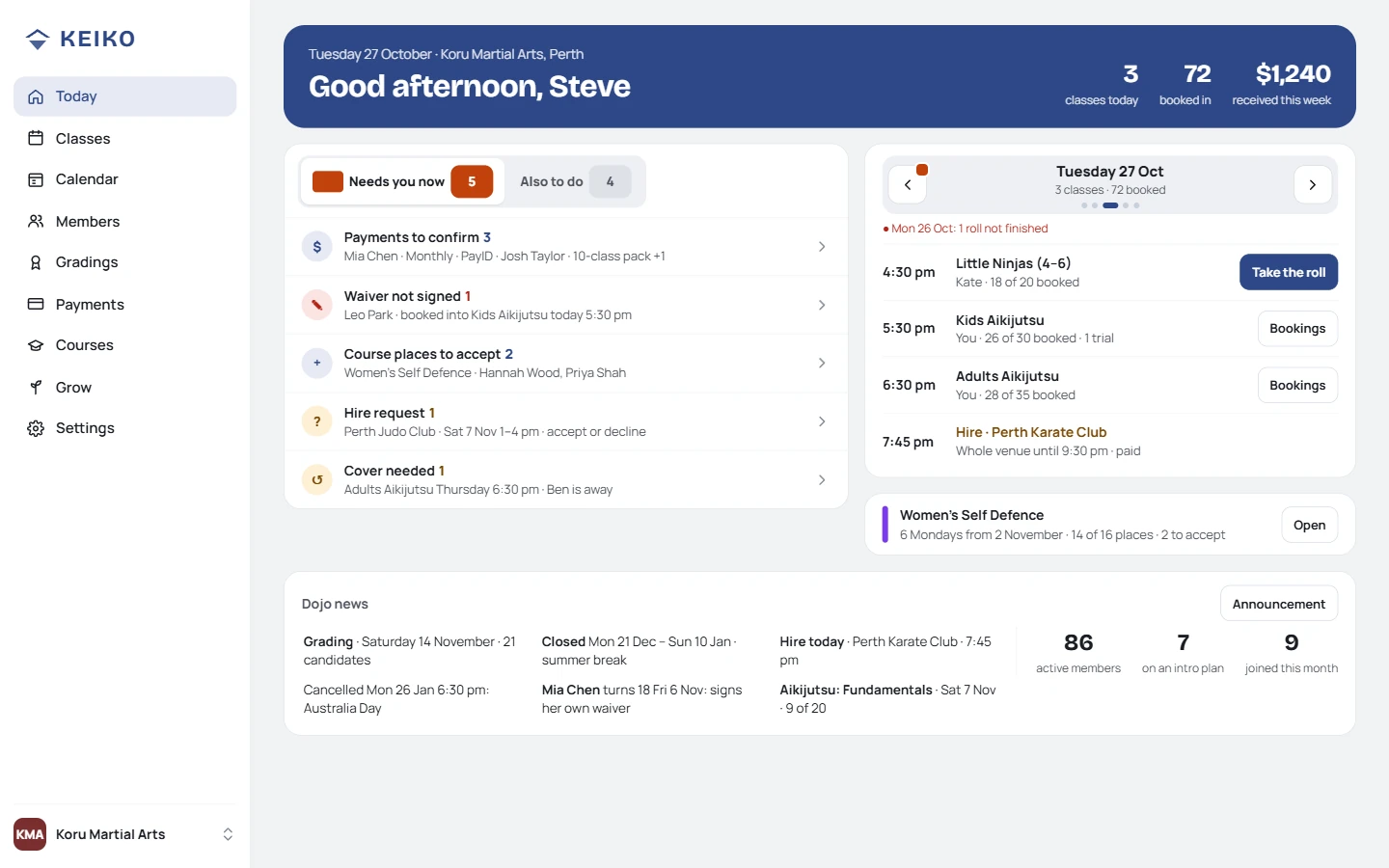
The front desk: Today, and what needs someone
For dojos that are a business
- Full-time: the dojo pays the bills, yours and maybe your staff's
- Several instructors, mats or rooms, with classes most days
- More than classes: beginner courses, workshops, private lessons, hire
- 50 to several hundred members, kids, families and adults
Probably not for you if
- You need a check-in kiosk or text messages. Keiko uses members' own page and email.
- You want us to hold your members' money. Fees go straight into your account, and we never take a cut.
- You run a group of dojos under one brand. That's Enterprise: your own branded version.
If your current system does everything you need and your members are settled on it, moving isn't worth the disruption. This page is for dojos juggling several tools.
What changes for you
What do you use today for each of these?
Untick the ones you don't use. Each has a place in Keiko, and they all know about each other.
Your count
8
tools, plus your membership system
In Keiko they're one system, on one calendar, with one member record. A course graduate becomes a member without retyping anything; hire never clashes with a class.
Academy is A$89 a month for all of it. Add up what those tools cost you now, then decide.
Owners and admins sign in; instructors use Teach on their phone, with no access to money.
Today shows what needs someone: payments to confirm, grading applications, people coming to watch, hire invoices.
Intakes, early bird, waivers and a wrap-up that invites graduates to join, with the numbers to show it.
One scenario
Your next workshop, start to finish.
Keep your website, membership system and payment provider. Run one workshop on Keiko and see how it feels.
- You · 15 minutesSet it up
Dates, places, price and your own payment link. It gets its own page.
- KeikoPeople register
From the link you share. Waivers signed, early bird applied, paid to you.
- KeikoReminders
What to bring and where to park, the day before.
- KeikoOn the day
The instructor checks who's coming, injuries and no-photo flags before it starts.
- You · 1 tapWrap-up
A thank-you, and an invitation to join or to hear about the next one.
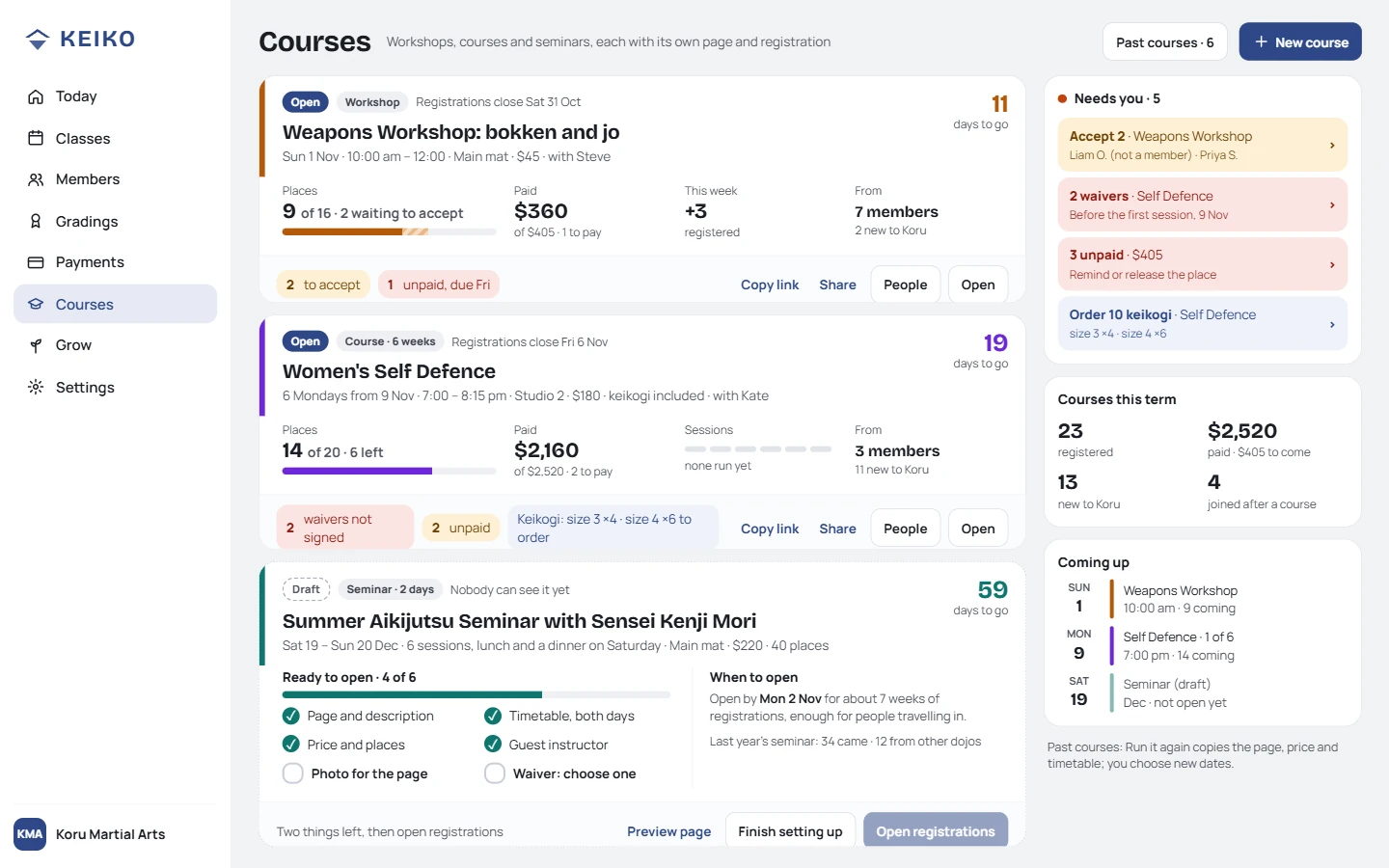
Each workshop: who's registered, signed and paid. Run it again: add dates, same page, same link.
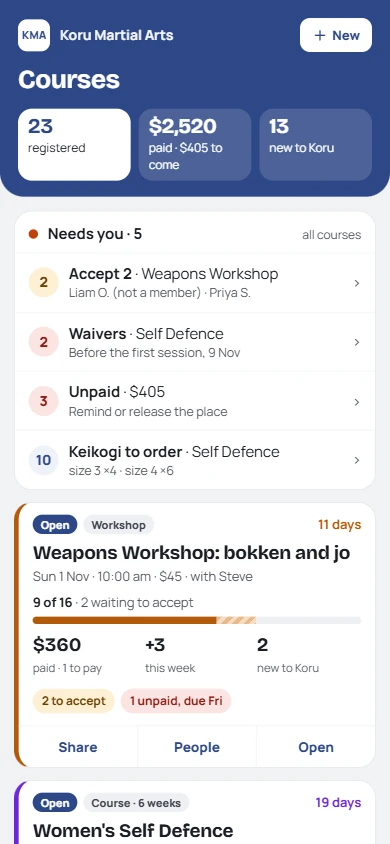
The same, on your phone
Free for your first two runs, up to 20 places each.
What your members and instructors see
Your dojo's app, in your logo and colours. Nothing to download.
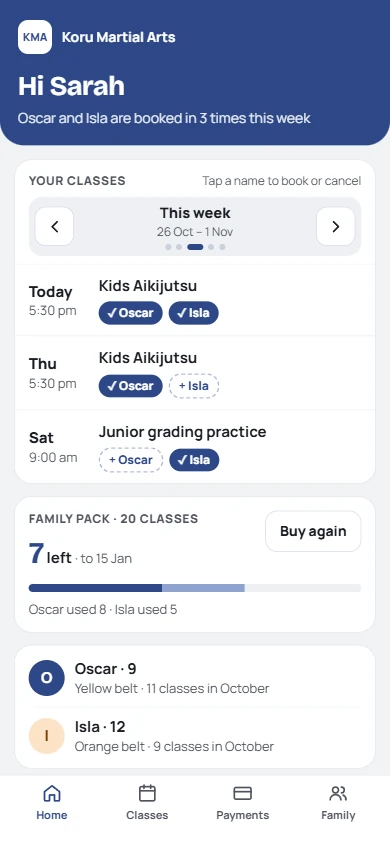
A parent of two
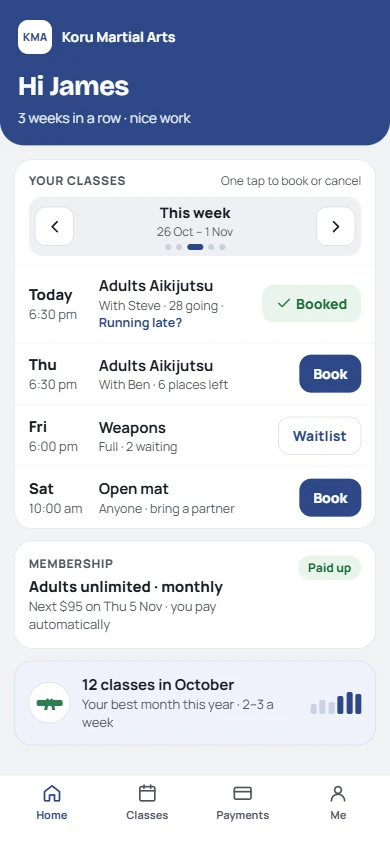
An adult member
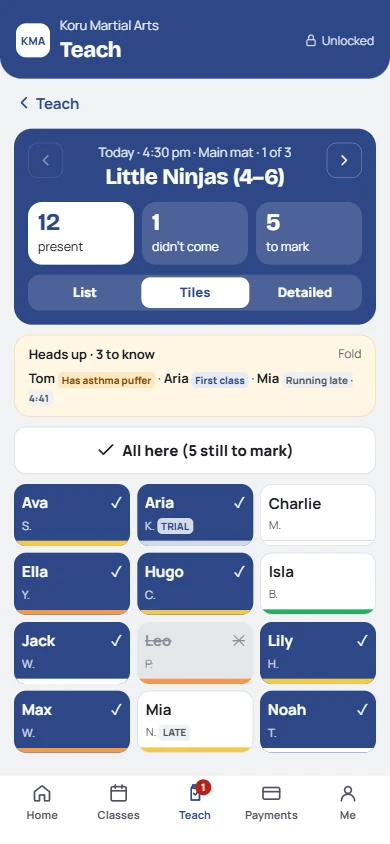
An instructor, before class
Before class, the instructor's phone shows who's coming, injuries and medical notes, who's not in photos, and any notice for the class to read out.
What moving takes
Months, one piece at a time. Your members' habits change gradually.
Run Keiko alongside your current system. Each step stands on its own, so you can stop at any point and keep what's working.
On Keiko, alongside everything else. Your website links to its page.
The pieces that clash most on separate calendars come across next.
Import everyone as drafts, then go live one program at a time.
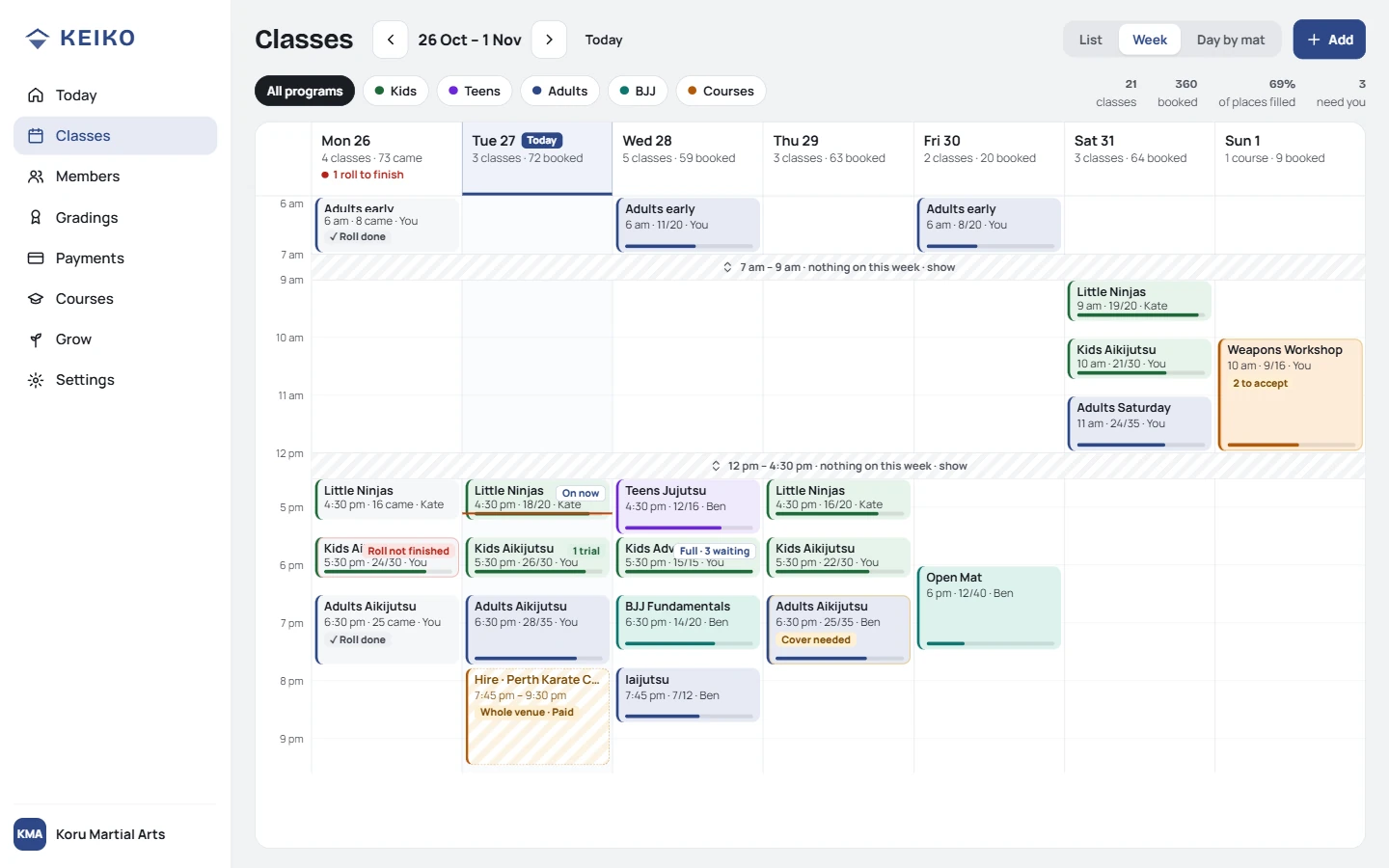
One calendar: classes, private lessons, workshops and hire
What you bring across
Everything, in steps you can check and undo.
- Members and families, with who pays for whom
- Belts with their dates and classes since the last grading
- Balances, packs, memberships and the last payment
- History: how long they've trained, classes before Keiko
Export from your current system; our AI prompt reshapes it into our template. Every row is checked first, every change is logged, and abandoning an import puts everything back. New people come in as drafts: no emails until you activate them.
What it costs
Academy: one price for the whole business.
Every feature on every plan, unlimited staff, mats and courses. You pay by active members. Prices include any GST or VAT we charge.
AcademyDojos like yours
A$89a month
50+ active members, unlimited
or A$890 a year (2 months free)
Club
A$59a month
16 to 49 active members
Every feature, the same as Academy
Free
A$0
Up to 15 active members
To try it with a workshop
0% of your fees. No collection fees, no percentage on cards. People trying a class or on a course don't count. Leaving? Export everything, any time. Full pricing ›
How you'll know it's working
After three months, you'll notice:
The workshop forms, the waiver app and the hire calendar are cancelled.
The wrap-up shows how many joined from each course.
Classes, private lessons and hire on one calendar, by mat.
Questions
What academy owners ask us.
- What about members on direct debit?
- Members on weekly, fortnightly or monthly memberships set up an automatic payment from their own bank, with their reference. Keiko knows when each is due and marks the ones you trust as paid on the day. No collection fees. Move them when it suits; nothing forces a switch.
- Can we run it alongside our current system?
- Yes. Start with one workshop, and bring the rest across when you're ready.
- How does staff access work?
- Owners and admins sign in with their own email. Instructors use Teach on their member link with a PIN: their classes, who's coming and medical notes, never money.
- We have more than one location.
- Locations and mats are built in, each with its own timetable. A separate business per location? Each is its own dojo, and you switch between them.
- Who owns the data?
- You do. Export everything, in the same layout as the import, any time.
- A group of dojos under one brand?
- That's Enterprise: your own branded version of Keiko, in your name and colours.
If you're counting tools, it might be worth a look.
If not, you've probably got it sorted. Start with one workshop; it costs nothing to try.
Not quite you? I hire a hall or train at home › · I've got my own dojo, and a day job ›